- Home
- All Products
- Samsung
- Samsung Galaxy Tab S7 FE
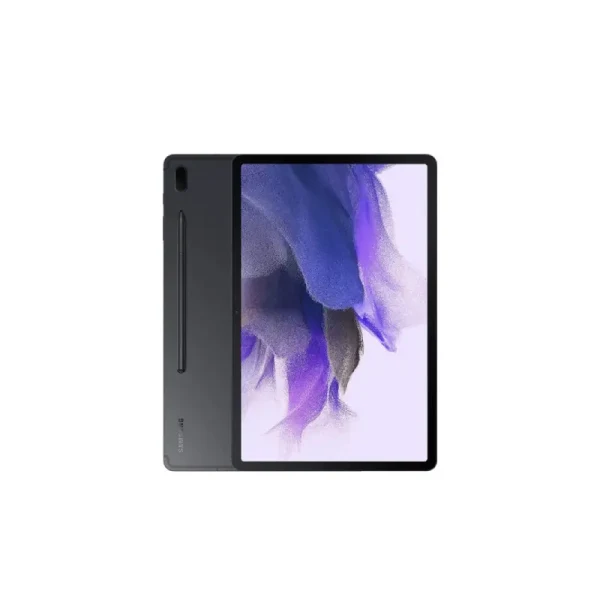
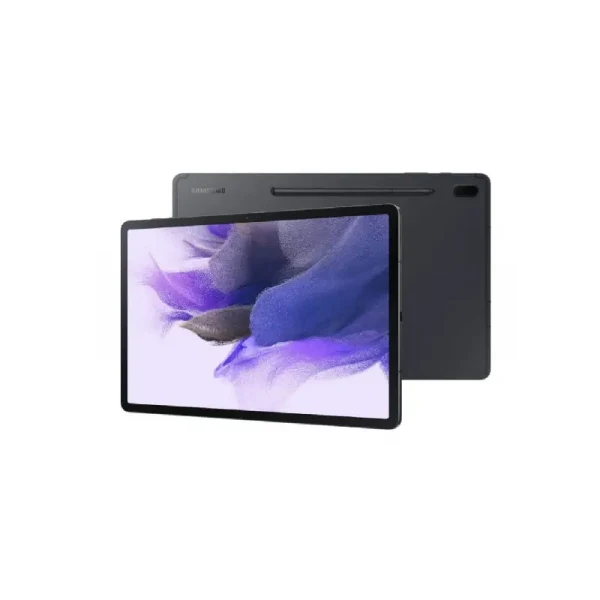
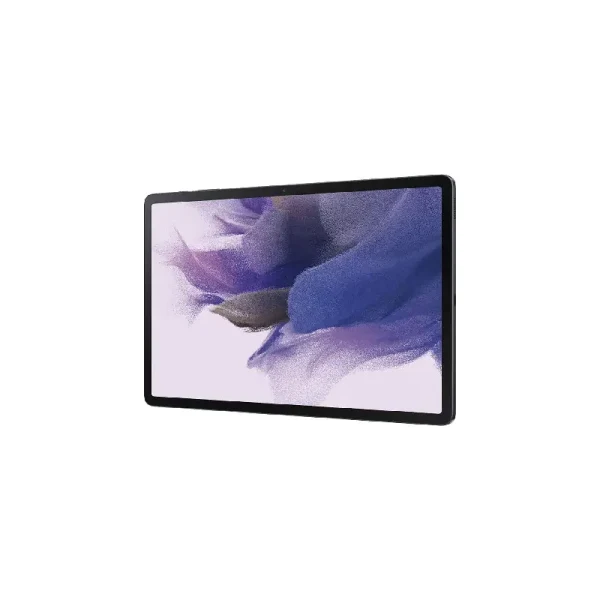
Samsung Galaxy Tab S7 FE
-
Battery: Li-Po 10090 mAh
-
RAM: 4GB, 6GB, 8GB
-
Storage: 64GB, 128GB, 256GB
-
Display: TFT LCD, 12.4 inches
-
Camera: Rear 8 MP, and Front 5 MP
-
OS: Android 11, upgradable to Android 13, One UI 5.1
Full Specifications
General
| Model | Samsung Galaxy Tab S7 FE |
| Announced | 2021, May 25 |
| Released | 2021, June 18 |
| Status | Available |
Price
| Official | 46990 BDT 4GB/64GB Approx. |
Design
| Dimensions The Dimensions section shows the phone’s physical size in Height × Length × Width (H × L × W) format, along with its volume, when available. For flip phones, the dimensions are measured with the flip closed. This information helps users understand the phone’s overall size, thickness, portability, and how comfortably it may fit in the hand or pocket. | 284.8 x 185 x 6.3 mm (11.21 x 7.28 x 0.25 in) |
| Weight The Weight section shows the total weight of the phone, usually measured in grams (g). It helps users understand how light or heavy the device feels during everyday use and carrying. For phones with different designs or configurations, the listed weight may vary depending on the materials, battery, and other hardware components. | 608 g (1.34 lb) |
| SIM The SIM section provides details about the phone’s supported SIM configuration, including SIM type, number of SIM slots, and eSIM support, where available. It may specify options such as Nano-SIM, Single SIM, Dual SIM, or Hybrid Dual SIM. This information helps users understand how the phone handles multiple mobile numbers and which SIM format is required. For Dual SIM devices, the section may also indicate whether both SIMs can remain active simultaneously and support mobile network connectivity. |
Nano-SIM Stylus support |
| Colors |
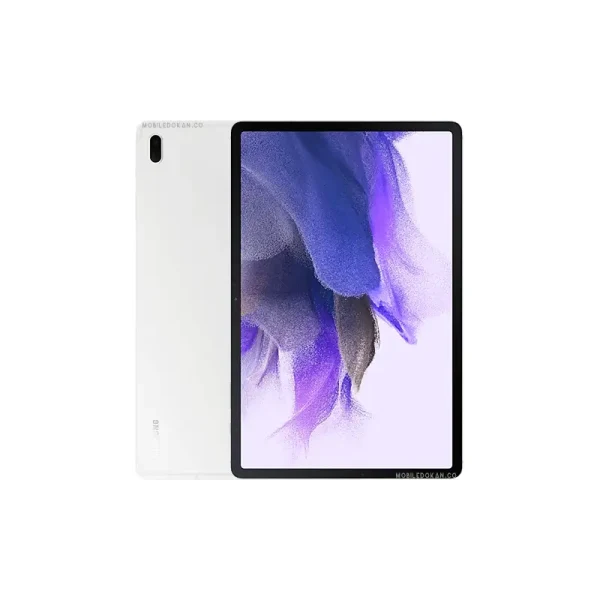
Mystic Black, Mystic Silver, Mystic Green, Mystic Pink |
Display Specification
| Display Type The Display Type section identifies the technology used for the phone’s screen, such as IPS LCD, AMOLED, OLED, or LTPO AMOLED. It helps users understand the display’s overall visual quality, including color reproduction, contrast, brightness, viewing experience, and power efficiency. The display type is an important specification when comparing smartphone screens. | TFT LCD |
| Size The Display Size section shows the diagonal size of the phone’s screen, usually measured in inches. It helps users understand the available viewing area and overall screen experience. A larger display is generally better for watching videos, gaming, and browsing, while a smaller display can offer easier handling and portability. | 12.4 inches, 445.8 cm2 |
| Resolution | 1600 x 2560 pixels, 16:10 ratio |
| Pixel Density Pixel Density (PPI) is refers to the concentration of pixels on a particular display, measured in pixels per inch (ppi). Pixel density is calculated by dividing the diagonal pixel resolution of a display by its diagonal size, higher pixel density better display quality. | 243 ppi density |
| Features | 84.6% screen-to-body ratio |
Storage
| Card Slot The Storage Card Slot section indicates whether the phone supports an external memory card, such as a microSD card, for expanding storage. It shows users whether they can add extra space for apps, photos, videos, and other files beyond the phone’s built-in storage. If the phone does not support a memory card, it will be listed as Not Supported. | microSDXC (dedicated slot) |
| Internal Storage The Internal Storage section shows the built-in storage capacity available on the phone, usually measured in GB. It determines how much space is available for apps, photos, videos, documents, and other files. Phones may come with different storage options, such as 128GB, 256GB, or 512GB, depending on the model and variant. |
64GB 4GB RAM, 128GB 6GB RAM, 256GB 8GB RAM |
Main Camera
| Camera Setup | Single |
| Resolution |
8 MP, AF |
| Features |
1080p@30fps |
| Video | - |
Selfie Camera
| Camera Setup | Single |
| Resolution |
5 MP |
| Video | 1080p@30fps |
| Features | - |
Platform
| Operating System The Operating System (OS) section shows the software platform that powers the phone and manages its hardware, apps, and system features. It typically includes the OS name and version, such as Android or iOS, and may also mention the manufacturer’s custom user interface. This information helps users understand the phone’s software experience, features, compatibility, and available updates. | Android 11, upgradable to Android 13, One UI 5.1 |
| Chipset Chipset is a group of integrated circuits designed to perform one or a more dedicated functions, often with real time computing constraints, Popular smartphones are equipped with more advanced embedded chipsets that can do many different tasks depending on their programming. | Qualcomm SM7225 Snapdragon 750G 5G (8 nm) - 5G model; Qualcomm SM7325 Snapdragon 778G 5G (6 nm) - Wi-Fi model |
| CPU CPU (Central Processing Unit) mostly known as processors, CPU processes instructions in order to carry out certain functions that make your device operate properly. Processors are often described as the brain of computers, smartphones and tablets, Smartphones and tablets rely on processors to carry out their every task, Processors are an incredibly important factor in selecting any type of computing device, including your smartphone. | Octa-core (2x2.2 GHz Kryo 570 & 6x1.8 GHz Kryo 570) - 5G model; Octa-core (1x2.4 GHz Cortex-A78 & 3x2.2 GHz Cortex-A78 & 4x1.9 GHz Cortex-A55) - Wi-Fi model |
| GPU GPU (Graphics Processing Unit) is a single-chip processor designed to rapidly manipulate and alter memory to accelerate the creation of images in a frame buffer intended for output to a display, This includes things such as lighting effects, object transformations, and 3D motion. | Adreno 619 - 5G model; Adreno 642L - Wi-Fi model |
Battery
| Battery Type The Battery Type section identifies the technology and design of the phone’s built-in battery, such as Li-Ion (Lithium-Ion) or Li-Po (Lithium-Polymer). It helps users understand the type of battery used to power the device and provides a basic overview of its battery technology. | Li-Poly (Lithium Polymer) |
| Capacity The Battery Capacity section shows the amount of electrical charge the phone’s battery can store, usually measured in mAh (milliampere-hours). A higher capacity generally provides more energy for everyday use, although actual battery life also depends on the display, processor, software, network usage, and other hardware components. | 10090 mAh |
| Removable | No |
| Charging |
45W wired, 100% in 190 min (advertised) |
| Wireless Charging Wireless Charging (Inductive Charging) uses an electromagnetic field to transfer energy between two objects. This is usually done with a charging station. Energy is sent through an inductive coupling to an electrical device, which can then use that energy to charge batteries or run the device. | No |
Multimedia
| Loudspeaker The Loudspeaker section indicates the type and configuration of the phone’s built-in speakers, such as single or stereo speakers. It helps users understand the device’s audio output for calls, music, videos, gaming, and other multimedia activities. Some phones may also include additional audio features for a better listening experience. | Yes, with stereo speakers |
| Audio Jack The Audio Jack section indicates whether the phone includes a dedicated 3.5mm headphone jack for connecting wired headphones, earphones, or external audio devices. If the phone does not have a traditional audio jack, users may need USB Type-C headphones or an adapter for wired audio. The specification helps users quickly check the phone’s compatibility with their preferred audio accessories. | No |
| Audio Features |
Tuned by AKG |
Sensors
| Fingerprint | No |
| Other Sensors | Accelerometer, proximity, compass, gyro (5G model only), Samsung DeX |
Network & Connectivity
| Technology | GSM / HSPA / LTE / 5G |
| Speed | HSPA, LTE (CA), 5G |
| Wi-fi The Wi-Fi section shows the wireless networking technologies and standards supported by the phone for connecting to the internet and other compatible devices. It may include standards such as Wi-Fi 4, Wi-Fi 5, Wi-Fi 6, Wi-Fi 6E, or Wi-Fi 7, along with features like dual-band, tri-band, Wi-Fi Direct, and hotspot support, where available. This information helps users understand the phone’s wireless connectivity, network compatibility, speed capabilities, and connection features. | Wi-Fi 802.11 a/b/g/n/ac/6 (Wi-Fi), Wi-Fi 802.11 a/b/g/n/ac (5G) |
| Bluetooth The Bluetooth section shows the wireless communication technology and version supported by the phone, such as Bluetooth 5.0, 5.1, 5.2, 5.3, or 5.4. It enables the phone to connect wirelessly with headphones, speakers, smartwatches, keyboards, cars, and other compatible devices. Where available, this section may also mention features such as A2DP, LE, aptX, or other Bluetooth audio and connectivity technologies. | 5.2, A2DP, LE (Wi-Fi), 5.2, A2DP, LE (5G) |
| NFC The NFC (Near Field Communication) section indicates whether the phone supports short-range wireless communication between compatible devices. NFC can be used for contactless payments, quick device pairing, data sharing, access cards, and other NFC-enabled services, depending on the phone and region. This specification helps users check whether the device supports convenient tap-to-connect and contactless features. | No |
| Positioning |
GPS, GLONASS, BDS, GALILEO |
| FM Radio | No |
| USB | USB Type-C 3.2, magnetic connector |
| 2G Network The 2G Network section shows whether the phone supports second-generation mobile networks, including GSM, GPRS, and EDGE technologies. It provides basic connectivity for voice calls, SMS, and limited mobile data services where 2G networks are available. |
GSM 850 / 900 / 1800 / 1900 |
| 3G Network The 3G Network section indicates the phone’s compatibility with third-generation mobile networks, such as UMTS, HSPA, and HSPA+. 3G provides faster mobile data than 2G and supports services such as web browsing, video calling, and multimedia streaming. |
HSDPA 850 / 900 / 1700(AWS) / 1900 / 2100 |
| 4G Network The 4G Network section shows whether the phone supports fourth-generation mobile networks, primarily LTE technology. 4G offers faster mobile internet speeds, lower latency, and improved performance for browsing, streaming, online gaming, and other data-intensive activities. |
1, 2, 3, 4, 5, 7, 8, 12, 13, 17, 20, 25, 26, 28, 32, 38, 40, 41, 66 |
| 5G Network The 5G Network section indicates the phone’s compatibility with fifth-generation mobile networks. 5G can provide higher data speeds, lower latency, and improved network capacity, supporting faster downloads, high-quality streaming, cloud services, and other demanding mobile applications. |
1, 3, 5, 7, 8, 20, 28, 38, 40, 41, 77, 78 SA/NSA/Sub6 |
About the Samsung Galaxy Tab S7 FE
The Samsung Galaxy Tab S7 FE is a mid-range tablet that blends premium design with productivity features, making it a compelling choice for students, creatives, and casual users. Launched in mid-2021, it boasts a large 12.4-inch WQXGA (2560 x 1600) TFT display, offering ample screen real estate for multitasking, note-taking, and media consumption.
The tablet supports the S Pen, included in the box, enhancing its utility for drawing and handwriting. Powered by the Qualcomm Snapdragon 750G processor, it handles everyday tasks smoothly, though it may struggle with more demanding applications. With a substantial 10,090mAh battery, the Tab S7 FE ensures extended usage, supporting up to 13 hours of video playback. Its sleek aluminum unibody design, combined with Samsung’s One UI interface, provides a user-friendly experience.
Main Key Features
- Display: 12.4-inch WQXGA (2560 x 1600) TFT
- Processor: Qualcomm Snapdragon 750G
- RAM & Storage: 4GB/6GB RAM with 64GB/128GB storage, expandable via microSD up to 1TB
- Operating System: Android 11, upgradable to Android 14
- Battery: 10,090mAh with 45W fast charging support
- Cameras: 8MP rear camera, 5MP front-facing camera
- Audio: Dual stereo speakers tuned by AKG, Dolby Atmos support
- Connectivity: Wi-Fi, Bluetooth 5.0, USB Type-C
- S Pen: Included in the box
- Dimensions & Weight: 284.8 x 185.0 x 6.3 mm; 608g
Pros & Cons:
Pros:
- Large High-Resolution Display: Ideal for media consumption and multitasking.
- S Pen Included: Enhances productivity for note-taking and creative tasks.
- Long Battery Life: 10,090mAh battery supports extended use.
- Premium Build Quality: Sleek aluminum design offers a premium feel.
- Expandable Storage: Supports microSD cards up to 1TB.
Cons:
- TFT Display: Lacks the vibrant colors and deep blacks of AMOLED screens.
- Mid-Range Processor: May not handle intensive multitasking or high-end gaming smoothly.
- No Fingerprint Sensor: Relies on facial recognition and PIN/password for security.
- Limited Base Storage: 64GB may be insufficient for some users without expansion.
Opinion
The Samsung Galaxy Tab S7 FE strikes a balance between affordability and functionality. Its expansive display and included S Pen make it suitable for students and professionals engaged in note-taking, drawing, or document editing. While it doesn’t match the performance of flagship tablets, its battery life and build quality offer excellent value for its price point. However, users seeking top-tier performance or AMOLED displays might consider higher-end alternatives.
Check other Models of Samsung:
FAQs about Samsung Galaxy Tab S7 FE
Q: Does the Galaxy Tab S7 FE support the S Pen?
A: Yes, the S Pen is included in the box and offers low-latency input for writing and drawing.
Q: Can I use the Galaxy Tab S7 FE for gaming?
A: It handles casual gaming well, but may struggle with graphics-intensive games due to its mid-range processor.
Q: Is the storage expandable?
A: Yes, it supports microSD cards up to 1TB, allowing for ample storage expansion.
Q: Does it have a fingerprint sensor?
A: No, the Tab S7 FE does not feature a fingerprint sensor; it uses facial recognition and traditional security methods.
Q: What is the charging speed?
A: It supports 45W fast charging, but only a 15W charger is included; a 45W charger must be purchased separately.
Q: Is the display AMOLED?
A: No, it features a TFT LCD display, which doesn’t offer the same contrast and color depth as AMOLED screens.
Give Your Review
Disclaimer Note
You can write your own disclaimer from APS Settings -> General -> Disclaimer Note.