- Home
- All Products
- Apple
- Apple iPad Pro 12.9 (2017)
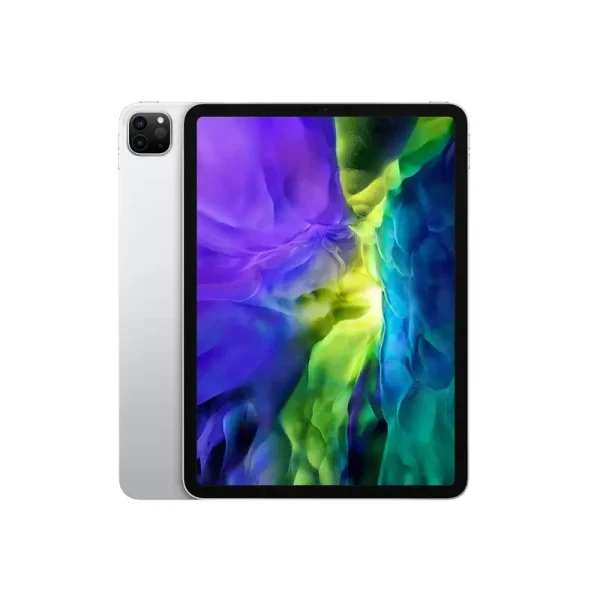
Apple iPad Pro 12.9 (2017)
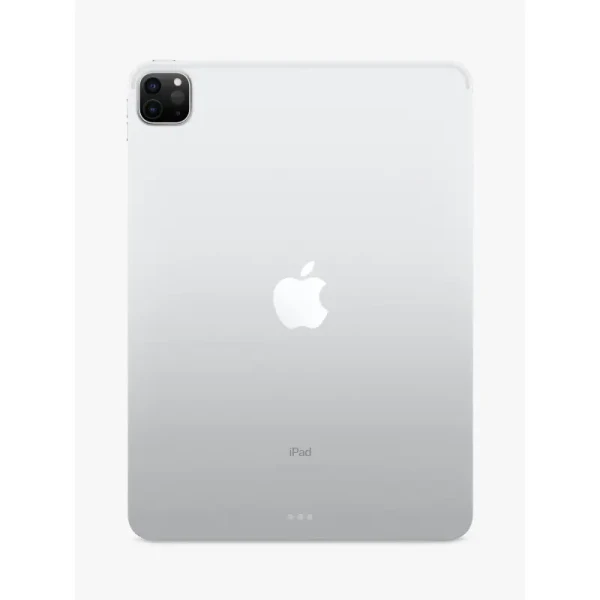
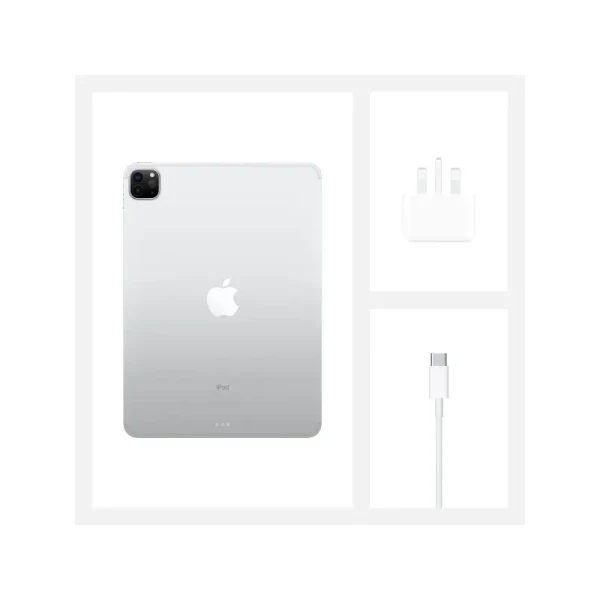
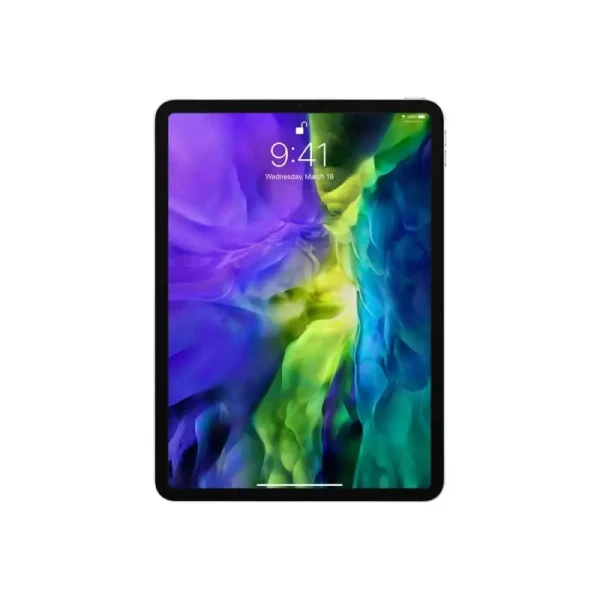
-
Battery: Li-Ion 10,891 mAh
-
RAM: 4GB, 4GB, 4GB
-
Storage: 64GB, 256GB, 512GB
-
Display: IPS LCD, 12.9 inches
-
Camera: Rear 12 MP, and Front 7 MP
-
OS: iOS 10.3.2, upgradable to iPadOS 17.2
Full Specifications
General
| Model | Apple iPad Pro 12.9 (2017) |
| Announced | 2017, June |
| Released | 2017, June |
| Status | Available |
Price
| Official | 81699 BDT 4GB/64GB Approx. |
Design
| Dimensions The Dimensions section shows the phone’s physical size in Height × Length × Width (H × L × W) format, along with its volume, when available. For flip phones, the dimensions are measured with the flip closed. This information helps users understand the phone’s overall size, thickness, portability, and how comfortably it may fit in the hand or pocket. | 305.7 x 220.6 x 6.9 mm (12.04 x 8.69 x 0.27 in) |
| Weight The Weight section shows the total weight of the phone, usually measured in grams (g). It helps users understand how light or heavy the device feels during everyday use and carrying. For phones with different designs or configurations, the listed weight may vary depending on the materials, battery, and other hardware components. | 677 g (Wi-Fi) / 692 g (LTE) (1.49 lb) |
| SIM The SIM section provides details about the phone’s supported SIM configuration, including SIM type, number of SIM slots, and eSIM support, where available. It may specify options such as Nano-SIM, Single SIM, Dual SIM, or Hybrid Dual SIM. This information helps users understand how the phone handles multiple mobile numbers and which SIM format is required. For Dual SIM devices, the section may also indicate whether both SIMs can remain active simultaneously and support mobile network connectivity. |
Nano-SIM and eSIM Stylus |
| Colors |
Space Gray, Gold, Silver |
Display Specification
| Display Type The Display Type section identifies the technology used for the phone’s screen, such as IPS LCD, AMOLED, OLED, or LTPO AMOLED. It helps users understand the display’s overall visual quality, including color reproduction, contrast, brightness, viewing experience, and power efficiency. The display type is an important specification when comparing smartphone screens. | IPS LCD |
| Size The Display Size section shows the diagonal size of the phone’s screen, usually measured in inches. It helps users understand the available viewing area and overall screen experience. A larger display is generally better for watching videos, gaming, and browsing, while a smaller display can offer easier handling and portability. | 12.9 inches, 515.3 cm2 |
| Resolution | 2732 x 2048 pixels, 4:3 ratio |
| Refresh Rate | 120Hz |
| Pixel Density Pixel Density (PPI) is refers to the concentration of pixels on a particular display, measured in pixels per inch (ppi). Pixel density is calculated by dividing the diagonal pixel resolution of a display by its diagonal size, higher pixel density better display quality. | 265 ppi density |
| Display Protection Display Protection => Gorilla Glass is a special alkali-aluminosilicate glass shield with exceptional damage resistance that helps protect mobile displays from scratches, drops, and bumps of everyday use, It is always better to go for a smartphone with Gorilla Glass for that added protection and peace of mind. | Scratch-resistant glass, oleophobic coating, True-tone |
| Features | 76.4% screen-to-body ratio |
Storage
| Card Slot The Storage Card Slot section indicates whether the phone supports an external memory card, such as a microSD card, for expanding storage. It shows users whether they can add extra space for apps, photos, videos, and other files beyond the phone’s built-in storage. If the phone does not support a memory card, it will be listed as Not Supported. | No |
| Internal Storage The Internal Storage section shows the built-in storage capacity available on the phone, usually measured in GB. It determines how much space is available for apps, photos, videos, documents, and other files. Phones may come with different storage options, such as 128GB, 256GB, or 512GB, depending on the model and variant. |
64GB 4GB RAM, 256GB 4GB RAM, 512GB 4GB RAM |
Main Camera
| Camera Setup | Single |
| Resolution |
12 MP, f/1.8, 1/3", PDAF, OIS |
| Features |
Quad-LED dual-tone flash, HDR |
| Video | 4K@30fps, 1080p@30/60fps, 1080p@120fps, 720p@240fps |
Selfie Camera
| Camera Setup | Single |
| Resolution |
7 MP, f/2.2, 32mm (standard) |
| Features |
Face detection, HDR, panorama |
| Video | 1080p@30fps |
Platform
| Operating System The Operating System (OS) section shows the software platform that powers the phone and manages its hardware, apps, and system features. It typically includes the OS name and version, such as Android or iOS, and may also mention the manufacturer’s custom user interface. This information helps users understand the phone’s software experience, features, compatibility, and available updates. | iOS 10.3.2, upgradable to iPadOS 17.2 |
| Chipset Chipset is a group of integrated circuits designed to perform one or a more dedicated functions, often with real time computing constraints, Popular smartphones are equipped with more advanced embedded chipsets that can do many different tasks depending on their programming. | Apple A10X Fusion (10 nm) |
| CPU CPU (Central Processing Unit) mostly known as processors, CPU processes instructions in order to carry out certain functions that make your device operate properly. Processors are often described as the brain of computers, smartphones and tablets, Smartphones and tablets rely on processors to carry out their every task, Processors are an incredibly important factor in selecting any type of computing device, including your smartphone. | Hexa-core 2.38 GHz (3x Hurricane & 3x Zephyr) |
| GPU GPU (Graphics Processing Unit) is a single-chip processor designed to rapidly manipulate and alter memory to accelerate the creation of images in a frame buffer intended for output to a display, This includes things such as lighting effects, object transformations, and 3D motion. | PowerVR Series 7 (12-core graphics) |
Battery
| Battery Type The Battery Type section identifies the technology and design of the phone’s built-in battery, such as Li-Ion (Lithium-Ion) or Li-Po (Lithium-Polymer). It helps users understand the type of battery used to power the device and provides a basic overview of its battery technology. | Li-Ion (Lithium Ion) |
| Capacity The Battery Capacity section shows the amount of electrical charge the phone’s battery can store, usually measured in mAh (milliampere-hours). A higher capacity generally provides more energy for everyday use, although actual battery life also depends on the display, processor, software, network usage, and other hardware components. | 10891 mAh |
| Removable | No |
| Charging | - |
| Wireless Charging Wireless Charging (Inductive Charging) uses an electromagnetic field to transfer energy between two objects. This is usually done with a charging station. Energy is sent through an inductive coupling to an electrical device, which can then use that energy to charge batteries or run the device. | No |
Multimedia
| Loudspeaker The Loudspeaker section indicates the type and configuration of the phone’s built-in speakers, such as single or stereo speakers. It helps users understand the device’s audio output for calls, music, videos, gaming, and other multimedia activities. Some phones may also include additional audio features for a better listening experience. | Yes, with stereo speakers (4 speakers) |
| Audio Jack The Audio Jack section indicates whether the phone includes a dedicated 3.5mm headphone jack for connecting wired headphones, earphones, or external audio devices. If the phone does not have a traditional audio jack, users may need USB Type-C headphones or an adapter for wired audio. The specification helps users quickly check the phone’s compatibility with their preferred audio accessories. | Yes |
Sensors
| Fingerprint | Yes (front-mounted) |
| Other Sensors | accelerometer, gyro, compass, barometer |
Network & Connectivity
| Technology | GSM / CDMA / HSPA / EVDO / LTE |
| Speed | HSPA 42.2/5.76 Mbps, LTE-A (3CA) Cat9 450/50 Mbps, EV-DO Rev.A 3.1 Mbps |
| Wi-fi The Wi-Fi section shows the wireless networking technologies and standards supported by the phone for connecting to the internet and other compatible devices. It may include standards such as Wi-Fi 4, Wi-Fi 5, Wi-Fi 6, Wi-Fi 6E, or Wi-Fi 7, along with features like dual-band, tri-band, Wi-Fi Direct, and hotspot support, where available. This information helps users understand the phone’s wireless connectivity, network compatibility, speed capabilities, and connection features. | Wi-Fi 802.11 a/b/g/n/ac, dual-band, hotspot |
| Bluetooth The Bluetooth section shows the wireless communication technology and version supported by the phone, such as Bluetooth 5.0, 5.1, 5.2, 5.3, or 5.4. It enables the phone to connect wirelessly with headphones, speakers, smartwatches, keyboards, cars, and other compatible devices. Where available, this section may also mention features such as A2DP, LE, aptX, or other Bluetooth audio and connectivity technologies. | 4.2, A2DP, EDR |
| NFC The NFC (Near Field Communication) section indicates whether the phone supports short-range wireless communication between compatible devices. NFC can be used for contactless payments, quick device pairing, data sharing, access cards, and other NFC-enabled services, depending on the phone and region. This specification helps users check whether the device supports convenient tap-to-connect and contactless features. | Yes |
| Positioning |
GPS, GLONASS (Wi‑Fi + Cellular model only) |
| FM Radio | No |
| USB | Lightning, USB 3.0; magnetic connector |
| 2G Network The 2G Network section shows whether the phone supports second-generation mobile networks, including GSM, GPRS, and EDGE technologies. It provides basic connectivity for voice calls, SMS, and limited mobile data services where 2G networks are available. |
GSM 850 / 900 / 1800 / 1900 CDMA 800 / 1900 |
| 3G Network The 3G Network section indicates the phone’s compatibility with third-generation mobile networks, such as UMTS, HSPA, and HSPA+. 3G provides faster mobile data than 2G and supports services such as web browsing, video calling, and multimedia streaming. |
HSDPA 850 / 900 / 1700(AWS) / 1900 / 2100 CDMA2000 1xEV-DO |
| 4G Network The 4G Network section shows whether the phone supports fourth-generation mobile networks, primarily LTE technology. 4G offers faster mobile internet speeds, lower latency, and improved performance for browsing, streaming, online gaming, and other data-intensive activities. |
1, 2, 3, 4, 5, 7, 8, 11, 12, 13, 17, 18, 19, 20, 21, 25, 26, 27, 28, 29, 30, 38, 39, 40, 41 |
About the Apple iPad Pro 12.9 (2017)
The Apple iPad Pro 12.9 (2017), also known as the 2nd generation iPad Pro 12.9-inch, is a powerful tablet designed for professionals and creators. Released in June 2017, it features a stunning 12.9-inch IPS LCD display with a 120Hz refresh rate and True Tone technology, delivering smooth visuals and accurate colors. Powered by the Apple A10X Fusion (10nm) chip and 4GB RAM, this iPad offers strong performance for multitasking, productivity, and gaming.
The tablet comes with 64GB, 256GB, or 512GB of storage options, making it suitable for both work and entertainment. The 12MP rear camera with OIS and 4K video recording, along with the 7MP FaceTime HD front camera, ensures sharp photos and high-quality video calls. It supports the Apple Pencil (1st Gen) and Smart Keyboard, making it a versatile tool for designers and professionals.
The large 10,891mAh battery offers up to 10 hours of multimedia use, and the quad-speaker system provides an immersive audio experience. Running iPadOS 17.7.10, the iPad Pro 12.9 (2017) still delivers reliable performance in 2025, perfect for productivity, creativity, and media consumption.
Main Key Features
- 12.9-inch IPS LCD, 120Hz, True Tone display (2732×2048 pixels)
- Apple A10X Fusion chip with hexa-core CPU
- 12MP rear camera with OIS and 4K video
- 7MP front camera with 1080p video
- 4GB RAM, up to 512GB internal storage
- iPadOS 17.7.10 (upgradable from iOS 10.3.2)
- Quad stereo speakers
- Apple Pencil (1st Gen) and Smart Keyboard support
- 10,891mAh battery with up to 10 hours of usage
- Fingerprint (Touch ID), Lightning connector, Bluetooth 4.2
Pros & Cons
Pros
- Large and vibrant 120Hz Retina display
- Strong performance from the A10X Fusion chip
- Excellent camera setup for a tablet
- Supports Apple Pencil and Smart Keyboard
- Long battery life with premium build quality
Cons
- No Face ID (uses Touch ID)
- Slightly heavy and large for handheld use
- No headphone jack
- Older Bluetooth version (4.2)
Why Choose This iPad?
Choose the iPad Pro 12.9 (2017) if you want a powerful, large-screen tablet for creative work, productivity, or multimedia. It’s perfect for artists, students, and professionals who want desktop-like performance on the go. Despite its age, it still runs modern apps smoothly and supports the latest iPadOS.
Opinion
The Apple iPad Pro 12.9 (2017) remains an impressive device in 2025. Its large, smooth 120Hz display, fast performance, and Apple Pencil support make it ideal for drawing, editing, and productivity tasks. It’s a great budget option for those who want a premium iPad experience without the high price of newer models.
See Another Model:
- Apple iPhone 17
- Apple iPhone Air
- Apple iPhone 17 Pro
- Apple iPhone 17 Pro Max
- Apple iPhone 16 Pro Max
- Apple iPhone 16 Pro
FAQs about Apple iPad Pro 12.9 (2017)
Q: Does the iPad Pro 12.9 (2017) support Apple Pencil?
A: Yes, it supports the 1st generation Apple Pencil.
Q: Can I update the iPad Pro 12.9 (2017) to the latest iPadOS?
A: Yes, it is upgradable up to iPadOS 17.7.10.
Q: Does it have Face ID?
A: No, it uses Touch ID for security.
Q: What is the battery life of the iPad Pro 12.9 (2017)?
A: It lasts up to 10 hours on a full charge during multimedia use.
Q: Is the iPad Pro 12.9 (2017) still worth buying in 2025?
A: Yes, it’s still a solid performer for note-taking, media, and light professional tasks.
Give Your Review
Disclaimer Note
You can write your own disclaimer from APS Settings -> General -> Disclaimer Note.